
Produs
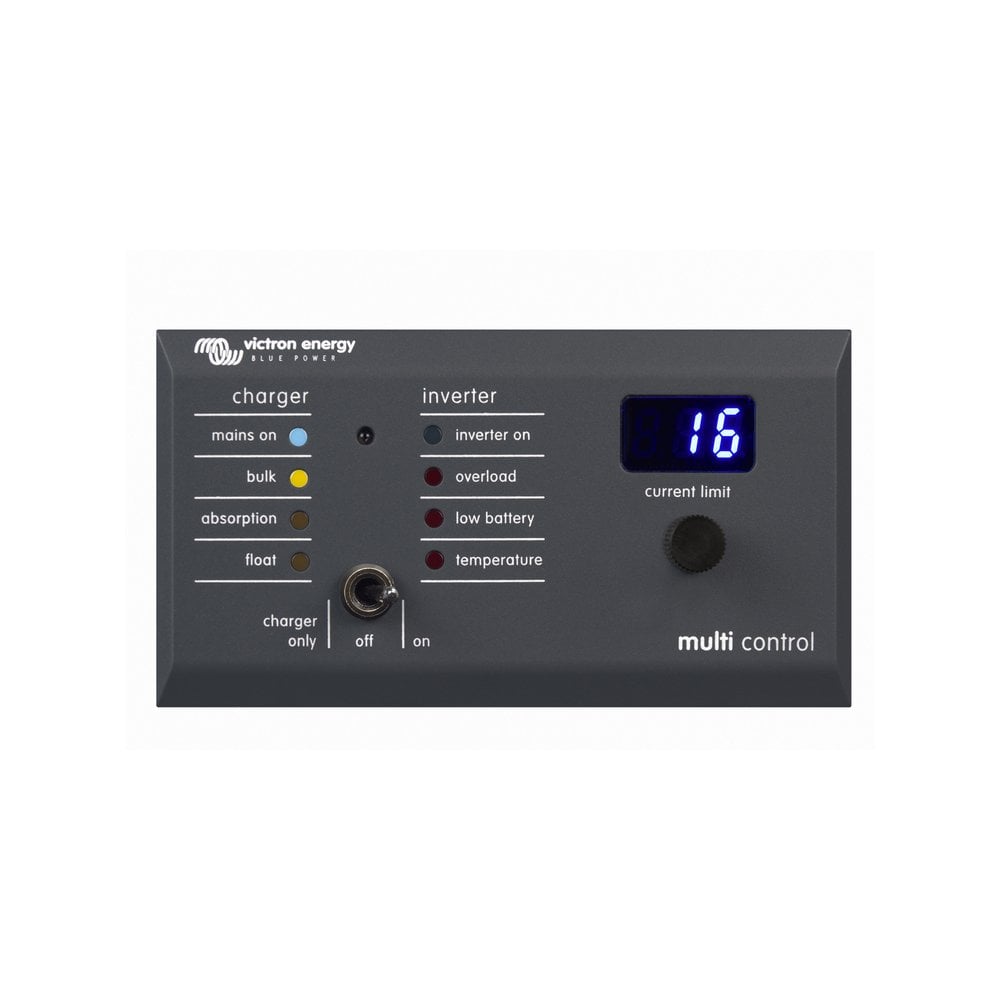
Victron Energy Digital Multi Control 200/200A GX | DMC000200010R, Car Parts
$128.99
Car Accessories
Victron Digital Multi Control GX 200 The Digital Multi Control is used to remotely view and adjust AC input currents, and turn on and off the Multi or Quattro. It is designed to integrate cleanly with your boat, vehicle or house system control panel. A Digital Multi Control panel (DMC) is designed to work with all Multi/Quattro. This includes stand alone, parallel and 2-3 phase configurations. Connecting the DMC to your system is simple, in most cases just connecting the DMC with an RJ45 cable is sufficient and no extra set-up handling is required.
More information
More Information
Table of Contents
- Why it Matters
- Features & Benefits
- Key Specifications
- Usage & Maintenance
- Frequently Asked Questions
Why it Matters
The Victron Energy Digital Multi Control 200/200A GX is an essential tool for those who rely on efficient energy management in their vehicles, boats, or homes. This device allows users to monitor and control AC input currents remotely, providing convenience and flexibility.
Quick Overview
- Remote monitoring and control of AC input currents.
- Compatible with Multi and Quattro systems.
- Simple installation with RJ45 cable.
- Designed for standalone, parallel, and 2-3 phase configurations.
Features & Benefits
The Digital Multi Control offers numerous features that enhance user experience and system efficiency:
Useful Details
- Remote Access: Easily view and adjust settings from a distance, making it convenient for users.
- Integration: Seamlessly integrates with existing systems, ensuring a clean and organized control panel.
- Versatile Compatibility: Works with various configurations, allowing for flexibility in setup.
- Easy Installation: Minimal setup required, typically just an RJ45 connection.
Key Specifications
While specific technical specifications are not provided, the Digital Multi Control is designed to work with Multi and Quattro systems in various configurations.
Usage & Maintenance
To ensure optimal performance of the Victron Energy Digital Multi Control:
- Regularly check connections to ensure they are secure.
- Keep the device clean and free from dust and debris.
- Monitor system performance and adjust settings as needed.
Frequently Asked Questions
Here are some common questions regarding the Victron Energy Digital Multi Control:
- What systems is the Digital Multi Control compatible with?
It is compatible with all Multi and Quattro systems. - How do I connect the Digital Multi Control?
Typically, connecting it with an RJ45 cable is sufficient. - Can I use it in a parallel configuration?
Yes, it supports standalone, parallel, and 2-3 phase configurations. - Is there a setup process required?
No extra setup handling is usually required after connecting. - What is the primary function of the Digital Multi Control?
It allows for remote viewing and adjustment of AC input currents.
Pros and Cons
Pros
- Convenient remote access to system controls.
- Easy installation process.
- Compatible with various configurations.
- Enhances energy management efficiency.
- Clean integration with existing systems.
Cons
- Not specified on advanced technical features.
- Limited information on compatibility with non-Victron systems.
- May require additional accessories for certain setups.
Related products
-

Webasto or Eberspacher exhaust lagging insulation 40mm | 11004 | 41V0001, Car Accessories
$16.72 See the product in the store Quick View -

Webasto Air Top EVO 40 24v Marine Heater Kit | 4110221A, Car Accessories
$2,303.92 See the product in the store Quick View -

Webasto 7 Day Marine Timer Programmer Thermo Top 12v Heater | 4110551A, Car Accessories
$118.54 See the product in the store Quick View -

Webasto Air Top EVO 55 Marine Air Heater Kit 5.5kW Diesel 12v | 4118032A, Car Accessories
$2,298.00 See the product in the store Quick View

Reviews
There are no reviews yet.