
Produs
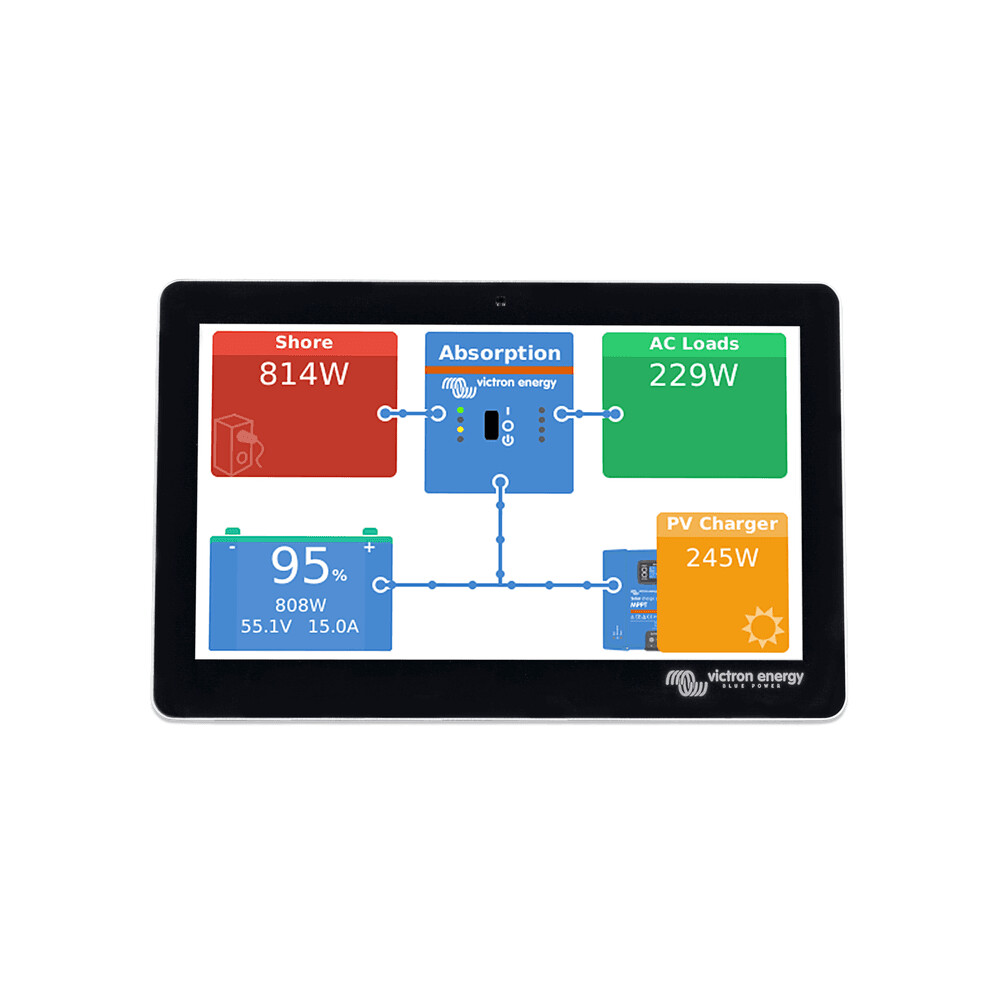
Victron Energy GX Touch 70 Display Panel | BPP900455070, Car Parts
$241.75
Car Accessories
Victron GX Touch 70 Touchscreen Display for the Cerbo GX The GX Touch 70 is a display accessory for our Cerbo GX. The seven inch touch screen display give an instant overview of your system and allow to adjust settings in the blink of an eye. Simply connected to the Cerbo GX with one cable, Their super slim waterproof design, top-mountable setup and simple installation bring a lot of flexibility when creating a crisp and clean dashboard. Seven inch Touch screen display Easy and quick mounting Slim and waterproof BPP900455070
More information
More Information
Table of Contents
- Why it Matters
- Features & Benefits
- Key Specifications
- Usage & Maintenance
- Frequently Asked Questions
Why it Matters
The Victron Energy GX Touch 70 Display Panel is an essential accessory for anyone utilizing the Cerbo GX system. This touchscreen display enhances user interaction, providing a seamless way to monitor and adjust your energy management system. With its intuitive interface, users can quickly access vital information, making it easier to manage energy consumption effectively.
Quick Overview
- 7-inch touchscreen for easy navigation
- Waterproof design for durability
- Simple one-cable connection to Cerbo GX
- Top-mountable for flexible installation
- Instant overview of system status
Features & Benefits
The Victron Energy GX Touch 70 offers numerous features that enhance its usability and functionality:
Useful Details
- Touchscreen Interface: The 7-inch display allows for quick adjustments and monitoring.
- Waterproof Design: Ensures longevity and reliability in various environments.
- Easy Installation: The top-mountable setup simplifies the installation process.
- Single Cable Connection: Reduces clutter and makes setup straightforward.
- Instant System Overview: Provides real-time data for better energy management.
Key Specifications
While specific technical specifications are not provided, the following features are highlighted:
- Model: BPP900455070
- Screen Size: 7 inches
- Design: Slim and waterproof
- Connection: One cable to Cerbo GX
Usage & Maintenance
To ensure optimal performance of the Victron Energy GX Touch 70, consider the following tips:
- Regularly clean the touchscreen with a soft, damp cloth to maintain visibility.
- Check connections periodically to ensure they are secure and free from corrosion.
- Keep the display in a location where it is protected from extreme weather conditions.
- Familiarize yourself with the interface to maximize its features.
Frequently Asked Questions
Here are some common inquiries regarding the Victron Energy GX Touch 70:
- What is the primary function of the GX Touch 70?
The GX Touch 70 serves as a display panel for the Cerbo GX, allowing users to monitor and adjust their energy management system. - Is the display easy to install?
Yes, the GX Touch 70 features a simple installation process with a top-mountable design and a single cable connection. - Can the display be used outdoors?
Yes, its waterproof design makes it suitable for outdoor use, provided it is installed correctly. - What type of information can I view on the display?
You can view real-time data regarding your energy system, including status updates and settings. - Is the touchscreen responsive?
Yes, the touchscreen is designed for quick and easy navigation.
Pros and Cons
Pros
- Intuitive touchscreen interface for easy navigation.
- Waterproof design enhances durability.
- Simple installation process with a single cable connection.
- Provides real-time data for effective energy management.
- Flexible mounting options for various setups.
Cons
- Not specified if additional accessories are needed for installation.
- Limited technical specifications provided.
- May require user familiarity for optimal use.
Related products
-

Webasto Air Top EVO 40 4kW 12v Marine Heater Kit with MultiControl HD 7-Day Timer | 4117979A, Car Accessories
$2,303.92 See the product in the store Quick View -

Webasto Heater Marine Exhaust Hull Fitting 38mm | 9018378A | 1320983A | 447633, Car Accessories
$200.70 See the product in the store Quick View -

Webasto or Eberspacher heater marine mount bracket | 41C0016 | 221050890800, Car Accessories
$32.02 See the product in the store Quick View -

Eberspacher Hydronic D5WSC Water Heater 12V Replacement Unit | 252219050000, Car Accessories
$998.95 See the product in the store Quick View
Reviews
There are no reviews yet.